2026 Halloween Deals | Save Up to 40% Off

00 Days 00 Hrs 00 Min 00 Sec
Shop the offer
Tutoriel sur les produits

Tutoriel sur les produits

Apprenez à tirer le meilleur parti de vos machines LONGER grâce à des tutoriels et des conseils utiles.

How to Update the Firmware on Ray5 mini/miniS

How to Update the Firmware on Ray5 mini/miniS

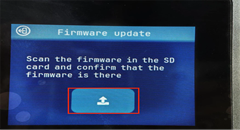
Keeping the firmware updated is important for maintaining stable performance and reliable operation of your LONGER Ray5 mini and Ray5 miniS laser engravers. Firmware updates can improve device compatibility, fix known issues, and optimize communication between the machine...
Plus
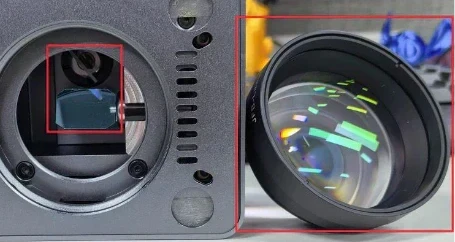
Cleaning the Laser Window Lens and Galvo Mirror — Nano

Cleaning the Laser Window Lens and Galvo Mirror — Nano

Keeping the optical components of a laser engraver clean is important for maintaining engraving quality and stable performance. During daily use, dust, smoke residue, and engraving debris may accumulate on the laser window lens and galvo mirror, which...
Plus
Nano Duo Firmware Upgrade

Nano Duo Firmware Upgrade

Firmware is an important part of the LONGER Nano Duo laser engraver. Regular firmware updates help maintain stable device performance and ensure a smoother engraving experience. This guide explains how to upgrade the firmware on your Nano Duo...
Plus
Display Screen Replacement for Ray5 10W / 5W

Display Screen Replacement for Ray5 10W / 5W

The display screen is an important part of the LONGER Ray5 10W and Ray5 5W laser engravers, allowing users to control machine settings and monitor operation status. If the display screen becomes damaged, unresponsive, or stops working properly,...
Plus
Unable to connect to Lightburn or LaserGRBL for Nano

Unable to connect to Lightburn or LaserGRBL for Nano

Introduction If your LONGER Nano Series laser engraver cannot connect to LightBurn or LaserGRBL, or your computer does not recognize the machine, the issue is usually related to the USB connection, driver installation, software configuration, or communication settings....
Plus
Engraving Errors or Alarms — Ray5 10W

Engraving Errors or Alarms — Ray5 10W

Your Ray5 10W machine may occasionally display an alarm during engraving. In most cases, the machine is not damaged. The alarm is usually caused by limit switches, coordinate settings, overscan, or normal machine operation. This guide explains the most common...
Plus
Ray5 Flame Sensor and Motion Sensor Alarm Troubleshooting

Ray5 Flame Sensor and Motion Sensor Alarm Troubleshooting

The flame sensor and motion sensor are built-in safety features on the Ray5 laser engraver, designed to protect both the machine and the engraving process. In some cases, these sensors may trigger unexpectedly due to environmental conditions, incorrect...
Plus
How to check the driver and install it

How to check the driver and install it

Before using your Longer laser engraver, make sure the required CH340 driver is installed correctly. A missing or incorrect driver may prevent your computer from recognizing the machine in LightBurn, LaserGRBL, or LaserBurn. This guide shows you how...
Plus