2026 Halloween Deals | Save Up to 40% Off

00 Days 00 Hrs 00 Min 00 Sec
Shop the offer
Software

Software

Explore software tips and guides for a smoother creative workflow.

Movement Protection Triggered on Ray5 10W and Ray5 5W

Movement Protection Triggered on Ray5 10W and Ray5 5W

The Ray5 10W and Ray5 5W include flame and motion sensors to help protect the engraving process. In some cases, these sensors may trigger an alarm because of environmental conditions, sensitivity settings, or hardware contact. This guide explains...
Read more
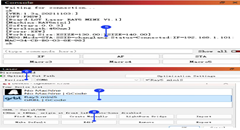
Connect Ray5 miniS to LightBurn via Wi-Fi

Connect Ray5 miniS to LightBurn via Wi-Fi

The LONGER Ray5 miniS laser engraver supports Wi-Fi connection with LightBurn, allowing users to control the machine wirelessly without using a USB cable. Ray5 miniS provides two Wi-Fi connection modes: AP Mode: The computer connects directly to the...
Read more
How to set up multi-layer management in Lightburn

How to set up multi-layer management in Lightburn

LightBurn layers are an important feature for organizing laser engraving and cutting projects. By using different layers, users can separate different processing tasks and apply specific settings such as power, speed, and passes for each part of the...
Read more
How to use LaserBurn to test material parameters

How to use LaserBurn to test material parameters

Choosing the correct laser engraving settings is one of the most important steps for achieving high-quality results. While the recommended material parameters provide a useful starting point, different materials, thicknesses, and surface finishes may require adjustments. LaserBurn's Material...
Read more
How to connect the machine via USB in different software

How to connect the machine via USB in different software

Connecting your Nano series laser engraver to the correct software through USB is the first step toward reliable communication and successful engraving. Whether you're using LaserGRBL, LightBurn, or LaserBurn Desktop, selecting the correct COM port and configuring the connection properly...
Read more
Laser GRBL Import configuration file

Laser GRBL Import configuration file

Introduction Before using LaserGRBL with a LONGER Nano or Nano Pro laser engraver, you need to import the correct configuration file to enable the required control functions. The LaserGRBL configuration file adds custom buttons to the software interface...
Read more