2026 Halloween Deals | Save Up to 40% Off

00 Days 00 Hrs 00 Min 00 Sec
Shop the offer
Tutorial de productos

Tutorial de productos

Aprende a sacar el máximo partido a tus máquinas LARGER con útiles tutoriales y consejos.

LONGER How to: Quickly Create Multiple Repeating Patterns Using “Create an Array of the Selected Objects” in LightBurn

LONGER How to: Quickly Create Multiple Repeating Patterns Using “Create an Array of the Selected Objects” in LightBurn

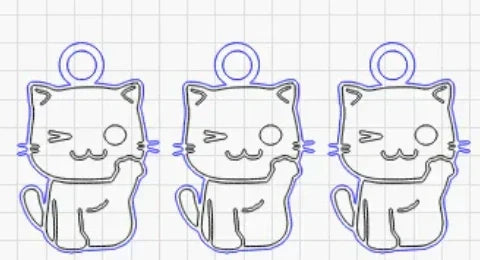
Repeating the same pattern in laser engraving projects can be time-consuming if done manually. LightBurn’s “Create an Array of the Selected Objects” feature allows LONGER laser engraver users to instantly duplicate any design in multiple rows and columns with precise spacing and alignment. This step-by-step guide explains how to use the array tool, customize its parameters, and streamline repetitive tasks—ideal for bulk production or patterned engraving. Save time, boost accuracy, and improve workflow efficiency with this powerful LightBurn function.
Leer más
LONGER How to:The Impact of Line Interval on Image Quality in LightBurn

LONGER How to:The Impact of Line Interval on Image Quality in LightBurn

Line interval is a key setting in LightBurn that directly impacts engraving detail, visual quality, and processing time. This guide uses the LONGER NANO Pro to demonstrate how different line intervals—from 0.03mm for high-detail work to 0.12mm for fast, low-detail tasks—can dramatically change the outcome of your laser projects. By understanding and adjusting this parameter, users can achieve the perfect balance of precision, efficiency, and artistic style in their engravings.

Leer más
LONGER HOW TO:Laser Engraving Slate with the Nano Pro

LONGER HOW TO:Laser Engraving Slate with the Nano Pro

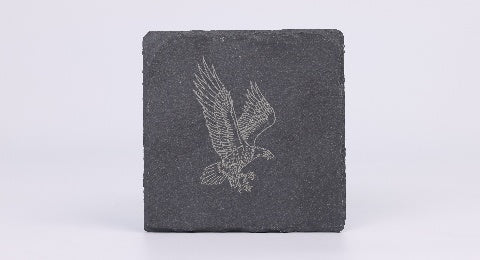
Slate is a stylish and durable material ideal for personalized engraving projects. With the LONGER Nano Pro laser engraver and LightBurn software, users can easily etch detailed graphics, text, or art onto slate surfaces. This guide explores the principles behind slate laser engraving, compares direct and coated methods, and offers a step-by-step process using the Nano Pro. By properly preparing the slate and fine-tuning engraving settings, creators can achieve crisp, professional results. Whether for gifts, signage, or home décor, laser engraving slate has never been more accessible.

Leer más
Lens Cleaning for Longer B1 30W & 40W

Lens Cleaning for Longer B1 30W & 40W

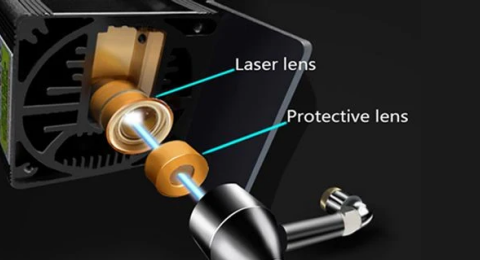
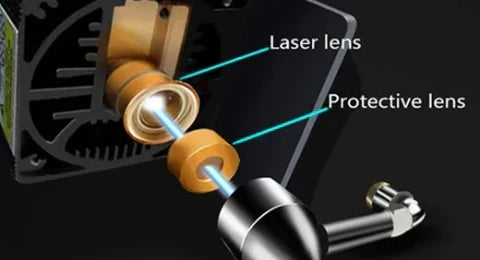
Keeping the laser lens clean is an important part of maintaining the Longer B1 30W and Longer B1 40W. During laser engraving and cutting, smoke and dust can gradually build up on the protective lens. As the residue...
Leer más
LONGER How to:Techniques for engraving black anodized aluminum plates with RAY5 series laser engraving machines

LONGER How to:Techniques for engraving black anodized aluminum plates with RAY5 series laser engraving machines

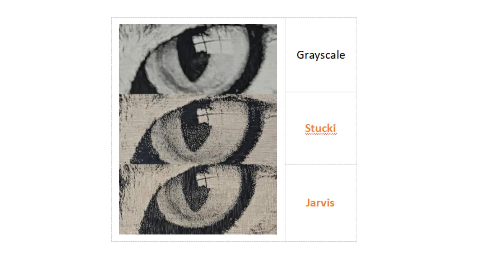
This guide demonstrates how to engrave grayscale images on black anodized aluminum using the RAY5 laser engraver. It covers parameter settings, image mode selection (recommending Grayscale), and fine-tuning image properties like brightness, contrast, and Gamma in LightBurn. With the RAY5's high stability and large engraving area, users can achieve detailed, high-quality results. Optimal parameters (e.g., 7000mm/min speed, 100% power) are provided as a reference, with advice on adapting settings for best outcomes across various images.

Leer más
LONGER How to:How to use laser to engrave ceramics

LONGER How to:How to use laser to engrave ceramics

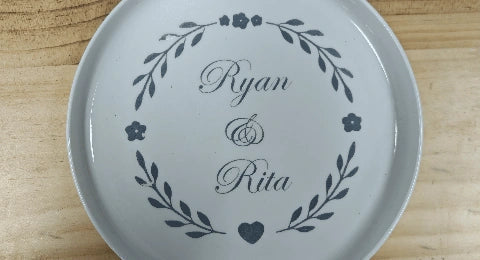
This guide uses the LONGER RAY5 10W to demonstrate how to laser engrave on white porcelain. By applying color paper to enhance energy absorption, adjusting LightBurn settings (1000mm/min, 100% power), and carefully cleaning after engraving, users can achieve sharp, detailed results. Fine-tuning material preparation and engraving speed ensures optimal engraving quality on ceramic surfaces.

Leer más
LONGER How to: Batch Engraving Business Cards with LONGER Nano Series: A Smarter Way to Personalize Your Brand

LONGER How to: Batch Engraving Business Cards with LONGER Nano Series: A Smarter Way to Personalize Your Brand

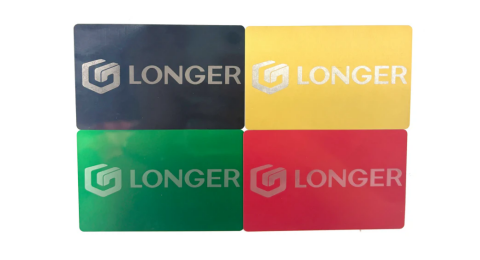
El grabado en serie de tarjetas de visita de aluminio anodizado nunca ha sido tan fácil ni tan preciso. Con la máquina de grabado láser LONGER Nano Series, profesionales creativos y empresarios pueden producir tarjetas elegantes y personalizadas que causan una gran impresión. Esta guía explica el proceso completo, desde la configuración y el posicionamiento hasta la importación del diseño y el ajuste de los parámetros del láser, garantizando resultados eficientes y profesionales en todo momento.

Leer más
How to Enable Framing Mode on Lightburn for Longer Laser Engravers

How to Enable Framing Mode on Lightburn for Longer Laser Engravers

LightBurn Framing Mode is essential for accurate laser engraving with Longer machines like Nano, B1, and Ray5. It lets users preview the engraving area before starting the job, minimizing material waste and errors. This guide walks you through enabling Framing Mode in LightBurn—just activate the laser fire button, set framing power to 2%, and you're ready to frame with precision. Perfect your setup and avoid costly mistakes with this simple yet crucial step in the engraving process.

Leer más
Protective Lens Replacement for Longer Ray5 10W

Protective Lens Replacement for Longer Ray5 10W

Al grabar con el Longer Ray5 10W, la acumulación de humo puede empañar la lente protectora, reduciendo la potencia del láser. Esta guía le muestra cómo reemplazar la lente protectora para restaurar el rendimiento. El reemplazo o la limpieza periódicos garantizan cortes eficientes y prolongan la vida útil de su láser. Si la lente está dañada o permanece borrosa después de la limpieza, puede adquirir una nueva directamente en el sitio web oficial de LONGER.

Leer más