How to Troubleshoot and Fix a Non-Working Air Pump on Your Laser Engraver
How to Get Colored Shades Engravings with Longer Ray5 & B1
Longer laser engravers like Ray5 and B1 series can create brilliant multicolor engravings on metal, starting from just 10W of power. Using LightBurn's Material Test, users can easily identify the best settings to unlock vibrant shades. Even with lower-power lasers, up to 90 distinct colors are possible, making metal engraving both creative and accessible. Learn how to test, tweak, and master color engraving with your Longer machine.
Ray5 10W / 5W X-Axis or Y-Axis Not Moving — Troubleshooting
LONGER How To:LightBurn Path Optimization Settings
Path optimization is essential in laser engraving and cutting for improving speed, precision, and machine longevity. This guide explains how to use LightBurn’s powerful optimization tools—including group, layer, and priority-based settings—to streamline workflows, reduce idle travel, and enhance output quality. Whether you're managing a simple project or a complex design, mastering these settings ensures maximum performance from your laser system.
PIÙ LUNGO Come fare: Come risolvere i problemi causati da Lightburn V2.0
Dopo l'aggiornamento a LightBurn V2.0, alcuni utenti hanno segnalato problemi di visualizzazione e di anteprima che hanno compromesso il loro flusso di lavoro. Questa guida illustra come tornare alla versione 1.7.08, una versione stabile completamente compatibile con le macchine Longer Ray5, B1 e Nano. Scopri come disinstallare, reinstallare e riattivare la versione precedente di LightBurn per ripristinare tutte le funzionalità e continuare a incidere senza interruzioni.
LONGER How to: Ray5 Mini Laser Engraver Tips Using LightBurn
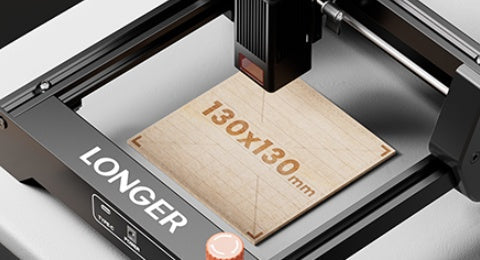
The LONGER Ray5 Mini is a compact, high-precision laser engraver ideal for small-scale projects. This guide walks you through setup, focusing, and engraving using LightBurn software. From importing your design to the finished result, discover how to get professional-quality engravings with ease. The Ray5 Mini balances performance, safety, and user-friendliness—perfect for hobbyists, creators, and small studios alike.