Products Tutorial

Learn how to get more from your LONGER machines with helpful tutorials and tips.

LONGER How To: Grouping and Ungrouping in LightBurn

Grouping and ungrouping objects in LightBurn are essential techniques for managing laser engraving projects more efficiently. This guide walks you through how to group and ungroup elements using both mouse actions and keyboard shortcuts, and explains the practical benefits of each. Grouping helps streamline movement, alignment, and bulk editing, while ungrouping allows for precise control and detailed modifications. Mastering these functions ensures a faster, cleaner, and more productive laser design process.

Read more

LONGER How to :Use the Trace Image Feature in LightBurn

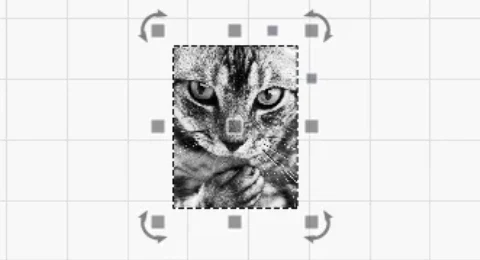
LightBurn’s Trace Image feature lets users easily convert bitmap images—like cartoons, logos, or handwritten sketches—into vector paths for laser engraving and cutting. This guide walks through each step, from importing and adjusting brightness thresholds to optimizing smoothness and vector cleanup. Perfect for anyone looking to expand their laser project designs using the Nano Pro or other LONGER engravers.

Read more

LONGER How To:Leather Engraving with Nano Pro

Leather engraving adds unique charm to handmade items like wallets and belts. With its precision and portability, the LONGER Nano Pro is ideal for laser engraving leather. This guide walks you through the full process—from setup and design prep to LightBurn settings and safety tips—so you can achieve high-quality, personalized results with ease.

Read more

LONGER How To: Test Material Parameters in LightBurn with the Material Test Tool

The Material Test feature in LightBurn helps laser users quickly determine the optimal engraving or cutting settings for different materials. This guide covers step-by-step instructions—from accessing the tool and configuring test matrices to previewing, running tests, and analyzing results. Whether you need to tweak power, speed, interval, or passes, this tool streamlines calibration and enhances output quality with less trial and error. Perfect for both beginners and advanced users aiming for precise, consistent results.

Read more

LONGER How to: Quickly Create Multiple Repeating Patterns Using “Create an Array of the Selected Objects” in LightBurn

Repeating the same pattern in laser engraving projects can be time-consuming if done manually. LightBurn’s “Create an Array of the Selected Objects” feature allows LONGER laser engraver users to instantly duplicate any design in multiple rows and columns with precise spacing and alignment. This step-by-step guide explains how to use the array tool, customize its parameters, and streamline repetitive tasks—ideal for bulk production or patterned engraving. Save time, boost accuracy, and improve workflow efficiency with this powerful LightBurn function.

Read more

LONGER How to:The Impact of Line Interval on Image Quality in LightBurn

Line interval is a key setting in LightBurn that directly impacts engraving detail, visual quality, and processing time. This guide uses the LONGER NANO Pro to demonstrate how different line intervals—from 0.03mm for high-detail work to 0.12mm for fast, low-detail tasks—can dramatically change the outcome of your laser projects. By understanding and adjusting this parameter, users can achieve the perfect balance of precision, efficiency, and artistic style in their engravings.

Read more

LONGER HOW TO:Laser Engraving Slate with the Nano Pro

Slate is a stylish and durable material ideal for personalized engraving projects. With the LONGER Nano Pro laser engraver and LightBurn software, users can easily etch detailed graphics, text, or art onto slate surfaces. This guide explores the principles behind slate laser engraving, compares direct and coated methods, and offers a step-by-step process using the Nano Pro. By properly preparing the slate and fine-tuning engraving settings, creators can achieve crisp, professional results. Whether for gifts, signage, or home décor, laser engraving slate has never been more accessible.

Read more