2026 Halloween Deals | Save Up to 40% Off

00 Days 00 Hrs 00 Min 00 Sec
Shop the offer
产品教程

产品教程

Learn how to get more from your LONGER machines with helpful tutorials and tips.

Mainboard Replacement for Ray5 10W / 5W
  • 1 评论
  • By Ethan Caldwell

Mainboard Replacement for Ray5 10W / 5W

Introduction The mainboard is one of the most important components inside a laser engraver. It controls communication between different machine components and ensures stable operation. If the mainboard of your LONGER Ray5 10W or Ray5 5W laser engraver...
阅读更多
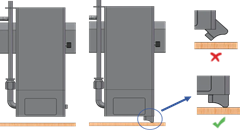
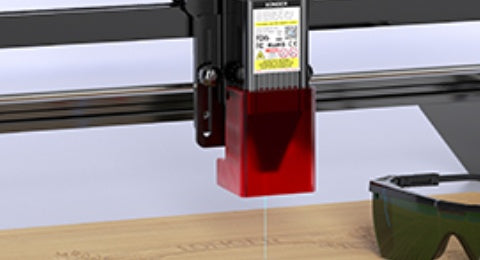
B1: Adjust laser focus
  • 0 评论
  • By Ethan Caldwell

B1: Adjust laser focus

介绍 正确的激光聚焦是获得清晰雕刻效果和高效切割性能的重要步骤。正确聚焦的激光束有助于形成更锐利的线条、更精细的细节和更一致的雕刻效果。 这 加长型 B1 激光雕刻机 采用聚焦块系统,帮助用户快速调整激光模块与材料表面之间的正确距离。 本指南逐步解释如何调整 LONGER B1 的激光聚焦,包括如何使用聚焦块、调整激光模块位置以及完成聚焦设置。 为什么激光聚焦至关重要 激光聚焦直接影响雕刻清晰度、切割力和机器整体性能。 当激光正确聚焦时: 雕刻线条显得更清晰、更锐利 切割速度更快,效率更高。 烧伤痕迹减少 精细的细节更容易再现。 材料渗透性提高 如果激光聚焦不正确,您可能会注意到: 模糊或宽阔的雕刻线条 未完成的切割 过度燃烧或炭化 减少雕刻深度 细节质量差 LONGER B1 采用聚焦块系统,帮助用户快速设置合适的激光高度,以获得一致的结果。 开始之前 调整激光焦距之前,请确保您的机器已正确组装并放置在稳定的工作台面上。 此外,务必将雕刻材料牢固放置,以防止在安装或操作过程中发生移动。 如果您是第一次使用这台机器,请在操作前查看 LONGER B1 的官方设置文档和安全说明。 要求 开始之前请准备以下物品: 加长型...
阅读更多
Motor Noise Troubleshooting for Ray5 10W / 5W
  • 1 评论
  • By Ethan Caldwell

Motor Noise Troubleshooting for Ray5 10W / 5W

Unusual motor noise on the Longer Ray5 10W / 5W laser engraver may affect engraving accuracy and machine performance. This guide explains common causes of motor noise and provides step-by-step troubleshooting methods. Step 1: Identify the Type of...
阅读更多
Laser Module Replacement for Ray5 10W / 5W
  • 0 评论
  • By Sophia Grant

Laser Module Replacement for Ray5 10W / 5W

Introduction The laser module is one of the most important components of the LONGER RAY5 laser engraver. Over time, a laser module may need to be replaced due to damage, reduced engraving performance, or other hardware issues. Replacing...
阅读更多
Lens Window and Nozzle Cleaning for Ray5 10W / 5W
  • 0 评论
  • By Ethan Caldwell

Lens Window and Nozzle Cleaning for Ray5 10W / 5W

Regular maintenance is important for keeping your laser engraver working properly. During laser engraving and cutting, smoke, dust, and residue may gradually build up on the laser lens window and nozzle. A dirty lens window can affect laser...
阅读更多
Connection Issues with LightBurn or LaserGRBL — Ray5 MiniS
  • 1 评论
  • By Ethan Caldwell

LightBurn 或 LaserGRBL 连接问题 — Ray5 MiniS

您的计算机和/或服务器之间存在连接问题 Ray5 miniS 激光雕刻机可能会出现故障,导致机器控制不正常,雕刻任务中断。大多数情况下,这些问题并非硬件故障,而是与驱动程序安装、COM端口选择、波特率设置或软件配置错误有关。 本指南提供了一个结构化的故障排除流程,帮助您使用 LightBurn 或 LaserGRBL 快速恢复稳定连接。 1.找不到 CH340 驱动程序 为了 视窗 对于系统,需要右键单击计算机并选择“管理”,单击“设备管理器”,展开“端口(COM 和 LPT)”,找到对应的端口。 CH340 驱动器然后,在 LightBurn 中选择此端口。 或 LaserGRBL。 为了 macOS请前往“关于本机”>“概览”>“系统报告”,在“硬件”下选择“USB”(如果驱动程序已自动安装,则会显示“USB 串口”),然后选择 cu.wchusbserial14230。 LightBurn 中的端口 或 LaserGRBL。 如果没有列出任何端口 扩展端口 (COM 和 LPT)表示未找到雕刻机,这可能是由于连接不正确、未通电或电脑缺少驱动程序造成的。需要从链接下载 CH340 驱动程序,然后双击安装: https://drive.google.com/drive/folders/1Sc-TKuez-mz--38Vp6DeL-pGmQcQdHW4。...
阅读更多
Engraving Errors or Alarms — Ray5 MiniS
  • 1 评论
  • By Olivia Harper

Engraving Errors or Alarms — Ray5 MiniS

During engraving, the LONGER Ray5 MiniS may display alarms related to limit switches, homing, or motion control. In most cases, these errors are caused by software settings, coordinate configuration, or operating procedures rather than hardware failure. This guide...
阅读更多
How to Update Firmware on Ray5
  • 0 评论
  • By Ethan Caldwell

How to Update Firmware on Ray5

Keeping your Longer Ray5 laser engraver updated with the latest firmware is essential for maintaining stable performance, improving engraving accuracy, and unlocking new features. Regular firmware updates help fix known bugs, enhance motion control, and ensure better compatibility...
阅读更多