2026 Halloween Deals | Save Up to 40% Off

00 Days 00 Hrs 00 Min 00 Sec
Shop the offer
产品教程

产品教程

Learn how to get more from your LONGER machines with helpful tutorials and tips.

How to Update the Firmware on Ray5 mini/miniS
  • 0 评论
  • By Ethan Caldwell

How to Update the Firmware on Ray5 mini/miniS

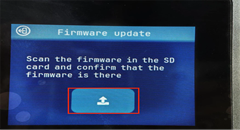
Keeping the firmware updated is important for maintaining stable performance and reliable operation of your LONGER Ray5 mini and Ray5 miniS laser engravers. Firmware updates can improve device compatibility, fix known issues, and optimize communication between the machine...
阅读更多
Nano Duo Firmware Upgrade
  • 0 评论
  • By Marcus Bennett

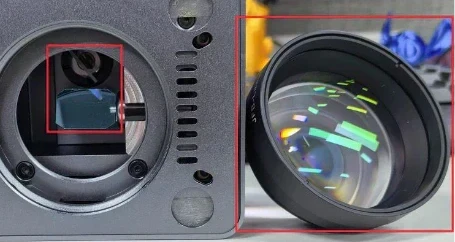
Nano Duo Firmware Upgrade

Firmware is an important part of the LONGER Nano Duo laser engraver. Regular firmware updates help maintain stable device performance and ensure a smoother engraving experience. This guide explains how to upgrade the firmware on your Nano Duo...
阅读更多
Display Screen Replacement for Ray5 10W / 5W
  • 0 评论
  • By Olivia Harper

Display Screen Replacement for Ray5 10W / 5W

The display screen is an important part of the LONGER Ray5 10W and Ray5 5W laser engravers, allowing users to control machine settings and monitor operation status. If the display screen becomes damaged, unresponsive, or stops working properly,...
阅读更多
Unable to connect to Lightburn or LaserGRBL for Nano
  • 0 评论
  • By Marcus Bennett

Unable to connect to Lightburn or LaserGRBL for Nano

Introduction If your LONGER Nano Series laser engraver cannot connect to LightBurn or LaserGRBL, or your computer does not recognize the machine, the issue is usually related to the USB connection, driver installation, software configuration, or communication settings....
阅读更多
Engraving Errors or Alarms — Ray5 10W
  • 0 评论
  • By Ethan Caldwell

Engraving Errors or Alarms — Ray5 10W

Your Ray5 10W machine may occasionally display an alarm during engraving. In most cases, the machine is not damaged. The alarm is usually caused by limit switches, coordinate settings, overscan, or normal machine operation. This guide explains the most common...
阅读更多
How to check the driver and install it
  • 0 评论
  • By Ethan Caldwell

How to check the driver and install it

在使用您的 更长的激光雕刻机请确保已正确安装所需的 CH340 驱动程序。缺少或不正确的驱动程序可能会导致您的计算机无法在 LightBurn、LaserGRBL 或 LaserBurn 中识别该设备。 本指南将向您展示如何检查 CH340 驱动程序是否已安装,如何在 Windows 和 macOS 上安装它,以及如何确认您的计算机已成功检测到该设备。 快速回答 安装 CH340 驱动器: 下载正确的驱动程序。 将其安装到您的电脑上。 如果提示,请重新启动计算机。 使用随附的 USB 数据线连接您的 Longer 设备。 检查驾驶员是否已被识别。 打开激光软件并确认机器已被检测到。 检查 CH340 驱动程序 开始之前,请注意以下事项: 所需的驱动程序可能缺失或安装不正确。 为了 macOS 10.15 或者以后,就不需要...
阅读更多