2026 Halloween Deals | Save Up to 40% Off

00 Days 00 Hrs 00 Min 00 Sec
Shop the offer
产品教程

产品教程

Learn how to get more from your LONGER machines with helpful tutorials and tips.

LONGER How to: Quickly Create Multiple Repeating Patterns Using “Create an Array of the Selected Objects” in LightBurn
  • 0 评论
  • By Ethan Caldwell

LONGER How to: Quickly Create Multiple Repeating Patterns Using “Create an Array of the Selected Objects” in LightBurn

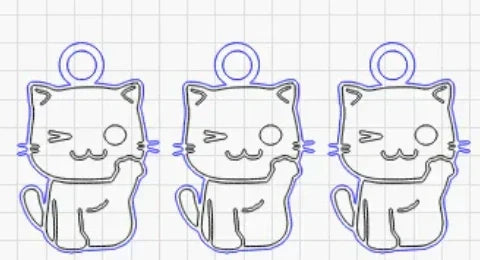
Repeating the same pattern in laser engraving projects can be time-consuming if done manually. LightBurn’s “Create an Array of the Selected Objects” feature allows LONGER laser engraver users to instantly duplicate any design in multiple rows and columns with precise spacing and alignment. This step-by-step guide explains how to use the array tool, customize its parameters, and streamline repetitive tasks—ideal for bulk production or patterned engraving. Save time, boost accuracy, and improve workflow efficiency with this powerful LightBurn function.
阅读更多
LONGER How to:The Impact of Line Interval on Image Quality in LightBurn
  • 0 评论
  • By Ethan Caldwell

更详细的教程:LightBurn 中行间距对图像质量的影响

Line interval is a key setting in LightBurn that directly impacts engraving detail, visual quality, and processing time. This guide uses the LONGER NANO Pro to demonstrate how different line intervals—from 0.03mm for high-detail work to 0.12mm for fast, low-detail tasks—can dramatically change the outcome of your laser projects. By understanding and adjusting this parameter, users can achieve the perfect balance of precision, efficiency, and artistic style in their engravings.

阅读更多
LONGER HOW TO:Laser Engraving Slate with the Nano Pro
  • 0 评论
  • By Ethan Caldwell

LONGER HOW TO:Laser Engraving Slate with the Nano Pro

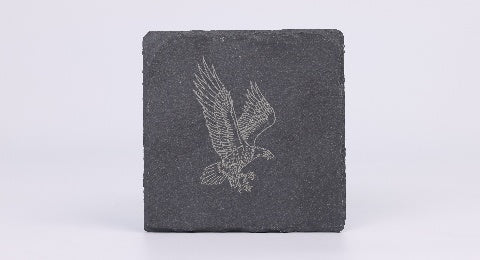
Slate is a stylish and durable material ideal for personalized engraving projects. With the LONGER Nano Pro laser engraver and LightBurn software, users can easily etch detailed graphics, text, or art onto slate surfaces. This guide explores the principles behind slate laser engraving, compares direct and coated methods, and offers a step-by-step process using the Nano Pro. By properly preparing the slate and fine-tuning engraving settings, creators can achieve crisp, professional results. Whether for gifts, signage, or home décor, laser engraving slate has never been more accessible.

阅读更多
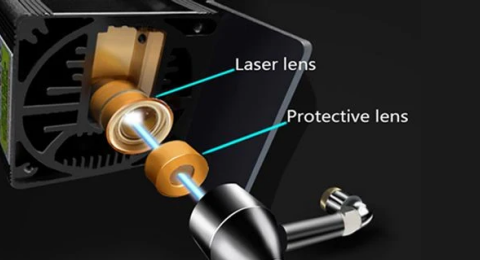
Lens Cleaning for Longer B1 30W & 40W
  • 1 评论
  • By Daniel Reeves

Lens Cleaning for Longer B1 30W & 40W

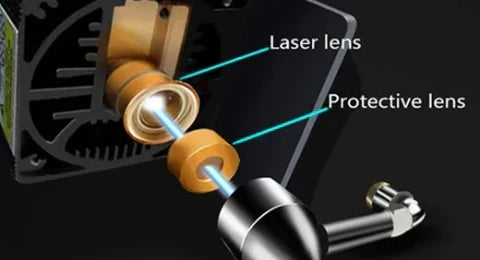
Keeping the laser lens clean is an important part of maintaining the Longer B1 30W and Longer B1 40W. During laser engraving and cutting, smoke and dust can gradually build up on the protective lens. As the residue...
阅读更多
LONGER How to:Techniques for engraving black anodized aluminum plates with RAY5 series laser engraving machines
  • 0 评论
  • By Sophia Grant

LONGER How to:Techniques for engraving black anodized aluminum plates with RAY5 series laser engraving machines

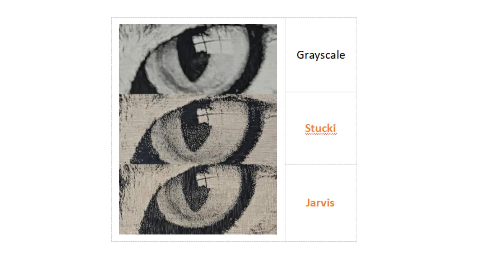
This guide demonstrates how to engrave grayscale images on black anodized aluminum using the RAY5 laser engraver. It covers parameter settings, image mode selection (recommending Grayscale), and fine-tuning image properties like brightness, contrast, and Gamma in LightBurn. With the RAY5's high stability and large engraving area, users can achieve detailed, high-quality results. Optimal parameters (e.g., 7000mm/min speed, 100% power) are provided as a reference, with advice on adapting settings for best outcomes across various images.

阅读更多
LONGER How to:How to use laser to engrave ceramics
  • 0 评论
  • By Daniel Reeves

LONGER How to:How to use laser to engrave ceramics

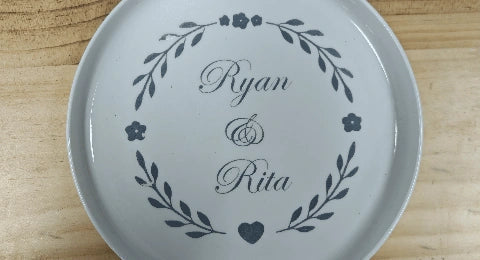
This guide uses the LONGER RAY5 10W to demonstrate how to laser engrave on white porcelain. By applying color paper to enhance energy absorption, adjusting LightBurn settings (1000mm/min, 100% power), and carefully cleaning after engraving, users can achieve sharp, detailed results. Fine-tuning material preparation and engraving speed ensures optimal engraving quality on ceramic surfaces.

阅读更多
LONGER How to: Batch Engraving Business Cards with LONGER Nano Series: A Smarter Way to Personalize Your Brand
  • 0 评论
  • By Olivia Harper

LONGER How to: Batch Engraving Business Cards with LONGER Nano Series: A Smarter Way to Personalize Your Brand

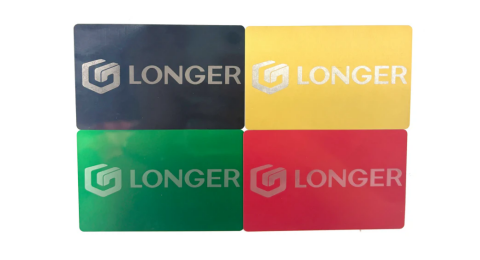
Batch engraving anodized aluminum business cards has never been easier or more precise. With the LONGER Nano Series laser engraving machine, creative professionals and business owners can produce sleek, customized cards that leave a lasting impression. This guide walks through the complete process—from setup and positioning to design import and laser parameter adjustment—ensuring efficient and professional-grade results every time.

阅读更多
How to Enable Framing Mode on Lightburn for Longer Laser Engravers
  • 0 评论
  • By Sophia Grant

How to Enable Framing Mode on Lightburn for Longer Laser Engravers

LightBurn Framing Mode is essential for accurate laser engraving with Longer machines like Nano, B1, and Ray5. It lets users preview the engraving area before starting the job, minimizing material waste and errors. This guide walks you through enabling Framing Mode in LightBurn—just activate the laser fire button, set framing power to 2%, and you're ready to frame with precision. Perfect your setup and avoid costly mistakes with this simple yet crucial step in the engraving process.

阅读更多
Protective Lens Replacement for Longer Ray5 10W
  • 0 评论
  • By Daniel Reeves

Protective Lens Replacement for Longer Ray5 10W

使用 Longer Ray5 10W 激光雕刻机进行雕刻时,烟雾积聚会导致保护镜片模糊,从而降低激光功率。本指南将向您展示如何更换保护镜片以恢复其性能。定期更换或清洁可确保高效切割并延长激光器的使用寿命。如果镜片损坏或清洁后仍然模糊,您可以直接从 LONGER 官方网站购买新的镜片。

阅读更多