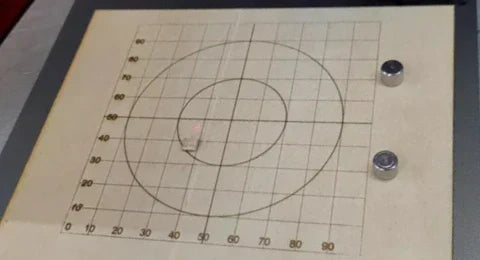
如何为 Longer Nano 和 Longer Nano Pro 创建对象定位网格
Longer Nano 和 Nano Pro 采用振镜技术进行精密雕刻,但由于需要手动校准,用户可能会发现激光头与机器金属底座存在偏差。本指南将指导您使用胶合板和 LightBurn 软件创建自定义物体定位网格,以确保激光头与机器完美对齐。雕刻的网格为放置名片等材料提供了一致的参考点,从而提高精度、重复性和材料浪费。雕刻完成后,请勿移动胶合板,因为它将作为固定的对准导轨。

Longer Nano 和 Nano Pro 采用振镜技术进行精密雕刻,但由于需要手动校准,用户可能会发现激光头与机器金属底座存在偏差。本指南将指导您使用胶合板和 LightBurn 软件创建自定义物体定位网格,以确保激光头与机器完美对齐。雕刻的网格为放置名片等材料提供了一致的参考点,从而提高精度、重复性和材料浪费。雕刻完成后,请勿移动胶合板,因为它将作为固定的对准导轨。
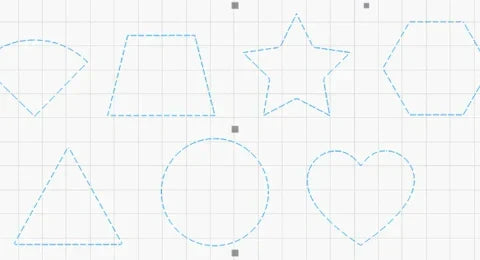
Overcut is a practical feature in LightBurn that slightly extends the laser cut path beyond the endpoint, ensuring complete separation and cleaner edges. This guide explains what Overcut does, why it matters—especially for thicker materials—and how to set it up effectively in LightBurn’s Cut Settings Editor. With step-by-step instructions and practical tips, you’ll be able to enhance the quality and precision of your laser cutting projects with ease.
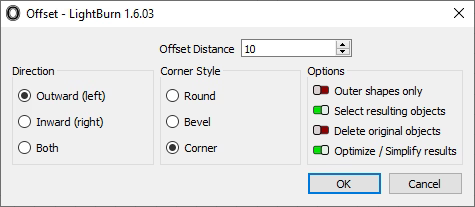
The Offset Shapes tool in LightBurn lets you generate new shapes at fixed distances from existing ones, making it ideal for creating borders, cut lines, and layered effects. This guide covers everything from accessing the tool to configuring offset distance, direction, and corner styles. You’ll also learn about advanced options like simplifying results and auto-selecting new shapes. Whether you’re engraving text or designing intricate vector art, mastering the offset feature ensures greater design precision and flexibility with your Longer laser engraver.
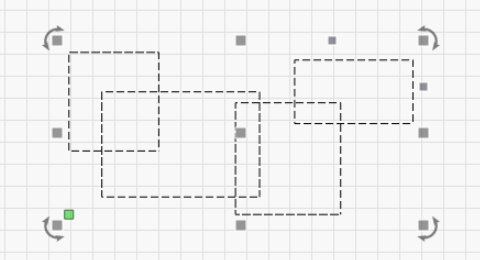
Grouping and ungrouping objects in LightBurn are essential techniques for managing laser engraving projects more efficiently. This guide walks you through how to group and ungroup elements using both mouse actions and keyboard shortcuts, and explains the practical benefits of each. Grouping helps streamline movement, alignment, and bulk editing, while ungrouping allows for precise control and detailed modifications. Mastering these functions ensures a faster, cleaner, and more productive laser design process.
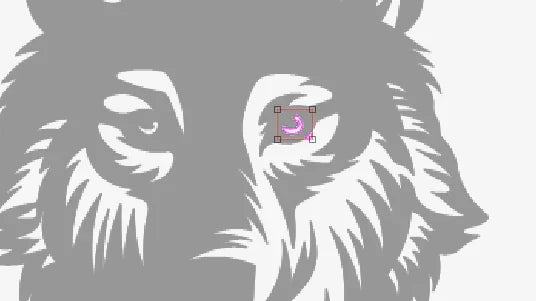
LightBurn’s Trace Image feature lets users easily convert bitmap images—like cartoons, logos, or handwritten sketches—into vector paths for laser engraving and cutting. This guide walks through each step, from importing and adjusting brightness thresholds to optimizing smoothness and vector cleanup. Perfect for anyone looking to expand their laser project designs using the Nano Pro or other LONGER engravers.
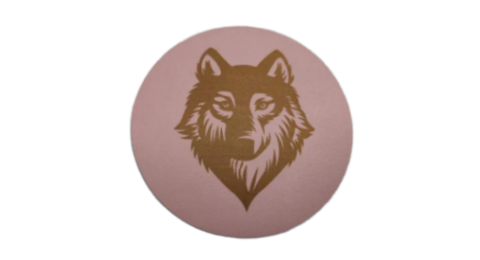
Leather engraving adds unique charm to handmade items like wallets and belts. With its precision and portability, the LONGER Nano Pro is ideal for laser engraving leather. This guide walks you through the full process—from setup and design prep to LightBurn settings and safety tips—so you can achieve high-quality, personalized results with ease.
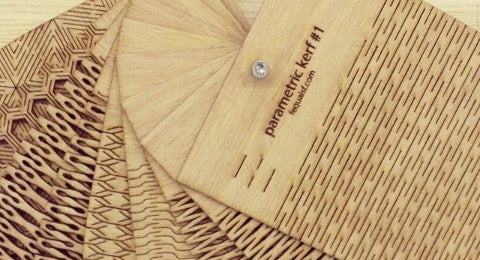
The Material Test feature in LightBurn helps laser users quickly determine the optimal engraving or cutting settings for different materials. This guide covers step-by-step instructions—from accessing the tool and configuring test matrices to previewing, running tests, and analyzing results. Whether you need to tweak power, speed, interval, or passes, this tool streamlines calibration and enhances output quality with less trial and error. Perfect for both beginners and advanced users aiming for precise, consistent results.