LONGER How to:Techniques for engraving black anodized aluminum plates with RAY5 series laser engraving machines
This guide demonstrates how to engrave grayscale images on black anodized aluminum using the RAY5 laser engraver. It covers parameter settings, image mode selection (recommending Grayscale), and fine-tuning image properties like brightness, contrast, and Gamma in LightBurn. With the RAY5's high stability and large engraving area, users can achieve detailed, high-quality results. Optimal parameters (e.g., 7000mm/min speed, 100% power) are provided as a reference, with advice on adapting settings for best outcomes across various images.
LONGER How to:How to use laser to engrave ceramics
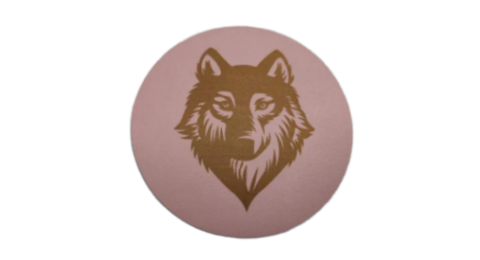
This guide uses the LONGER RAY5 10W to demonstrate how to laser engrave on white porcelain. By applying color paper to enhance energy absorption, adjusting LightBurn settings (1000mm/min, 100% power), and carefully cleaning after engraving, users can achieve sharp, detailed results. Fine-tuning material preparation and engraving speed ensures optimal engraving quality on ceramic surfaces.
LONGER How to: Batch Engraving Business Cards with LONGER Nano Series: A Smarter Way to Personalize Your Brand
Batch engraving anodized aluminum business cards has never been easier or more precise. With the LONGER Nano Series laser engraving machine, creative professionals and business owners can produce sleek, customized cards that leave a lasting impression. This guide walks through the complete process—from setup and positioning to design import and laser parameter adjustment—ensuring efficient and professional-grade results every time.
How to Enable Framing Mode on Lightburn for Longer Laser Engravers
LightBurn Framing Mode is essential for accurate laser engraving with Longer machines like Nano, B1, and Ray5. It lets users preview the engraving area before starting the job, minimizing material waste and errors. This guide walks you through enabling Framing Mode in LightBurn—just activate the laser fire button, set framing power to 2%, and you're ready to frame with precision. Perfect your setup and avoid costly mistakes with this simple yet crucial step in the engraving process.
Protective Lens Replacement for Longer Ray5 10W
When engraving with the Longer Ray5 10W, smoke buildup can cloud the protective lens, reducing laser power. This guide shows you how to replace the protective lens to restore performance. Regular replacement or cleaning ensures efficient cuts and extends the life of your laser. If the lens is damaged or remains blurry after cleaning, a new one can be purchased directly from the official LONGER website.
LaserBurn 1. 2. 0 : Lancement officiel | LONGER lance la gravure intelligente sur tous ses modèles
LONGER lance officiellement LaserBurn 1. 2. 0, son logiciel de gravure intelligent désormais compatible avec les séries Nano Duo, Nano Pro, Nano et B1. Grâce à ses fonctions basées sur l'IA, telles que le positionnement automatique, la prévisualisation en temps réel, la conversion de texte en image et la synchronisation par lots, cette mise à jour révolutionne le travail des créateurs. La série Ray5 sera bientôt prise en charge via une future mise à jour du firmware. Avec un contrôle plus intelligent, des outils de conception avancés et une connectivité flexible, LaserBurn 1. 2. 0 marque une nouvelle étape dans l'écosystème évolutif de LONGER pour la gravure laser.