2026 Halloween Deals | Save Up to 40% Off

00 Days 00 Hrs 00 Min 00 Sec
Shop the offer
Products Tutorial

Products Tutorial

Learn how to get more from your LONGER machines with helpful tutorials and tips.

LONGER How to: How to Solve the issues caused by Lightburn V2.0

LONGER How to: How to Solve the issues caused by Lightburn V2.0

After upgrading to LightBurn V2.0, some users reported display glitches and preview issues affecting their workflow. This guide walks you through reverting to version 1.7.08 — a stable release fully compatible with Longer Ray5, B1, and Nano machines. Learn how to uninstall, reinstall, and reactivate the previous version of LightBurn to restore full functionality and continue engraving without disruption.
Weiterlesen
LONGER How to: Ray5 Mini Laser Engraver Tips Using LightBurn

LONGER How to: Ray5 Mini Laser Engraver Tips Using LightBurn

The LONGER Ray5 Mini is a compact, high-precision laser engraver ideal for small-scale projects. This guide walks you through setup, focusing, and engraving using LightBurn software. From importing your design to the finished result, discover how to get professional-quality engravings with ease. The Ray5 Mini balances performance, safety, and user-friendliness—perfect for hobbyists, creators, and small studios alike.

Weiterlesen
Shaking Effects Solving for Longer Ray5 5W

Shaking Effects Solving for Longer Ray5 5W

The Ray5 5W laser engraver is designed to provide accurate engraving and cutting performance across different materials. However, during operation, some users may notice shaking effects, uneven lines, or reduced engraving accuracy. These issues are usually related to the...
Weiterlesen
LONGER How To:Adjust the Red Dot Focusing Module on the Nano Duo

LONGER How To:Adjust the Red Dot Focusing Module on the Nano Duo

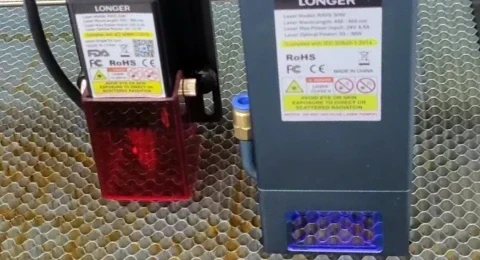
The red dot focusing module on the Longer Nano Duo helps users quickly align the laser’s focal point for precise engraving. If the red dots become misaligned due to movement or impact, it’s essential to recalibrate the system. This guide covers how to find the correct focal distance (220.5mm), activate the red dot in both the device screen and LaserBurn software, and manually align the dual red lasers using simple tools. Proper adjustment ensures high engraving precision and reduces errors caused by focus issues.

Weiterlesen
LONGER How To: Make a Custom Rubber Stamp with the Ray5 10W Laser Engraver

LONGER How To: Make a Custom Rubber Stamp with the Ray5 10W Laser Engraver

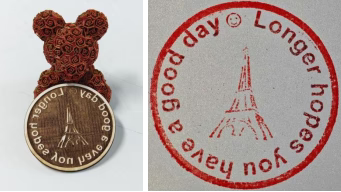
This guide shows how to create a personalized rubber stamp using the LONGER Ray5 10W laser engraver and 3mm basswood. From designing curved text and icons in LightBurn, to engraving and cutting with optimized laser settings, the process is straightforward and fun. By mirroring the design and ensuring deep engraving, users can produce high-quality stamps ideal for crafts, packaging, and personalized branding. A great DIY project to showcase creativity and precision with laser technology.

Weiterlesen
LONGER How To:Install the latest 30W Laser Module for Longer Ray5

LONGER How To:Install the latest 30W Laser Module for Longer Ray5

The Longer Ray5 laser engraver now supports a powerful 30W laser module, expanding its capabilities for cutting and engraving a wider range of materials more efficiently. This guide provides step-by-step instructions for installing the 30W module, including hardware adjustments, cable connections, and firmware updates. With the upgrade complete, users can enjoy faster processing times and greater creative freedom for their laser projects. Be sure to refer to the included manual and this guide to ensure a smooth installation.

Weiterlesen
LONGER How To: How to Add and Use the Art Library in LightBurn

LONGER How To: How to Add and Use the Art Library in LightBurn

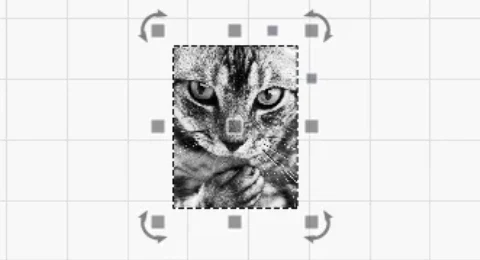
The Art Library in LightBurn is a powerful feature that lets users store, organize, and instantly reuse commonly used vector graphics. This guide walks you through enabling the library window, creating and saving custom libraries, importing artwork, and inserting graphics into projects. Perfect for Longer laser engraver users, the Art Library boosts productivity by keeping your favorite designs organized and ready to use—whether you're crafting gifts, running a small business, or working on personal engraving projects.

Weiterlesen
How to Install and Setup the new Longer Ray5 Mini

How to Install and Setup the new Longer Ray5 Mini

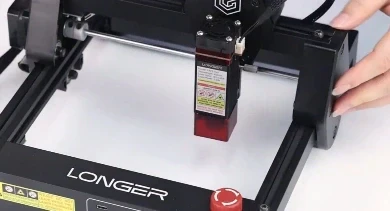
This setup guide walks beginners through the quick and easy installation of the Longer Ray5 Mini, a compact and portable laser engraver with 2.5W or 3.5W options. Ideal for first-time users, the machine arrives mostly pre-assembled. The tutorial covers laser module installation, cable checks, axis adjustments, power setup, focus alignment, and LightBurn configuration. With just a few simple steps, you'll be ready to start engraving creative projects at home or on the go.

Weiterlesen
LONGER How To:Enable Rotary Mode in LightBurn

LONGER How To:Enable Rotary Mode in LightBurn

This guide explains how to enable and configure Rotary Mode in LightBurn for engraving on cylindrical or symmetrical items using roller or chuck rotary attachments. From hardware connection to setting parameters like steps per rotation and object diameter, you'll learn everything needed for accurate rotary engraving. The tutorial includes tips for mirror output, axis selection, and test engraving to ensure optimal results. Perfect for makers using the LONGER Ray5 or similar laser engravers with rotary tools.

Weiterlesen